
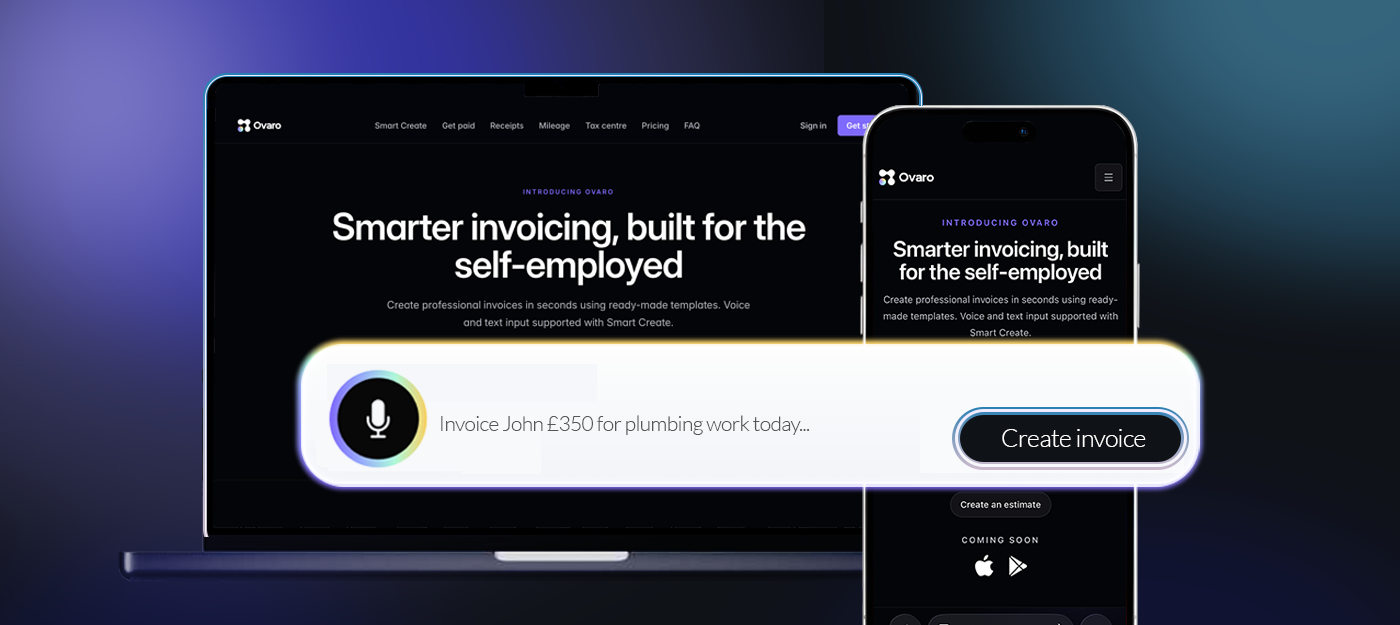
Create invoices just by describing the job
Say what you did. Ovaro turns it into a professional invoice in seconds — no forms, no hassle.
Example: Invoice John £350 for plumbing work today
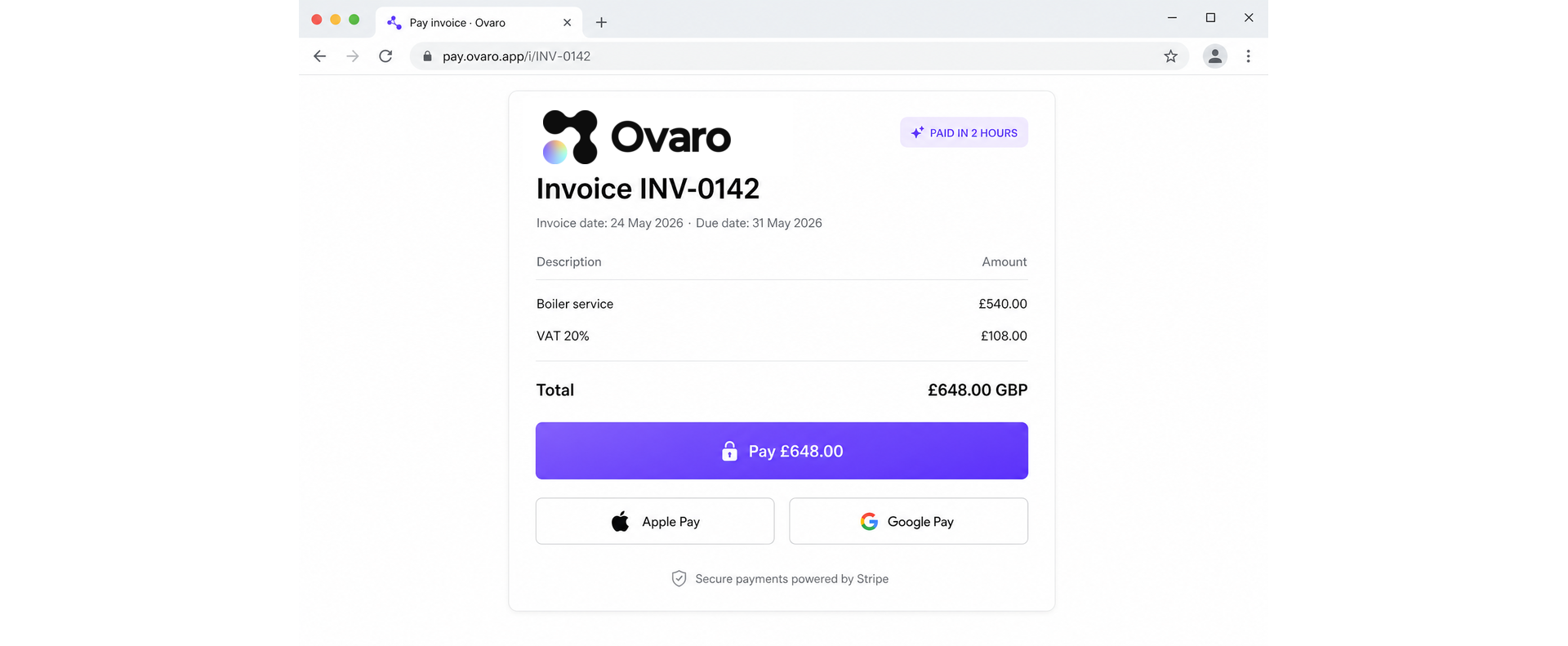
Send invoices and get paid instantly
Powered by Stripe


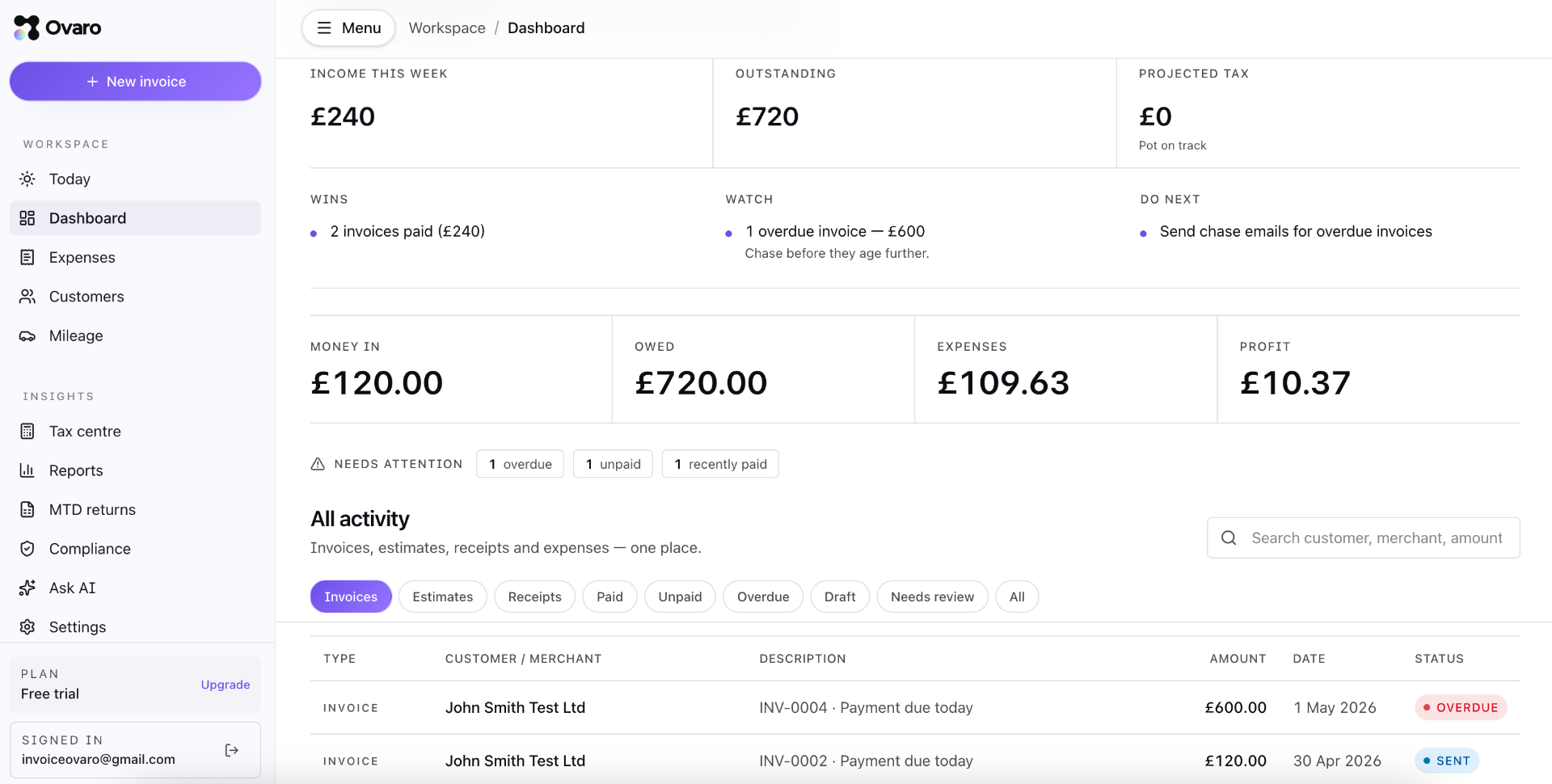
Your dashboard
Your whole business, on one screen.
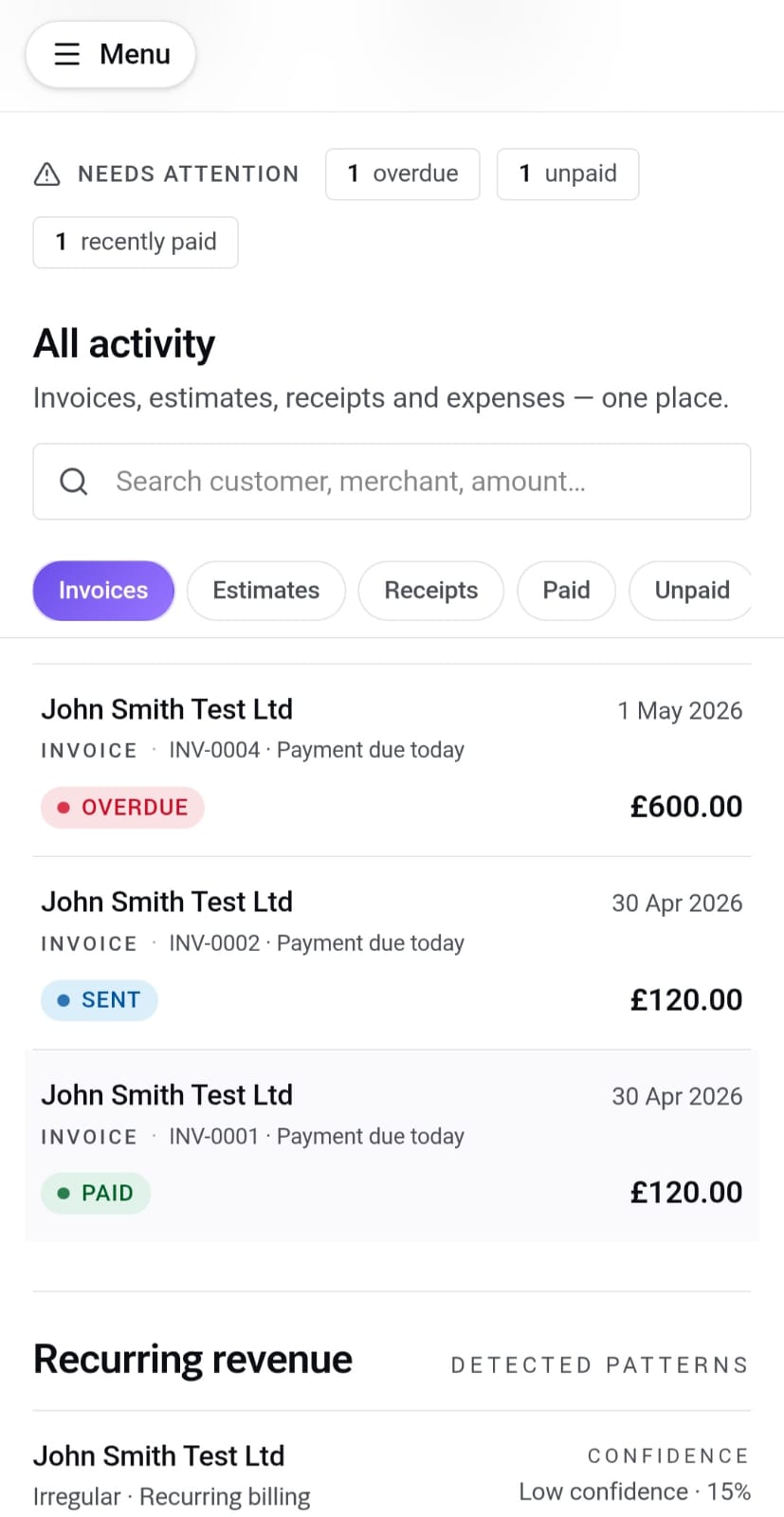
See what's come in, what's owed, what you've spent and what's next — all in one place. Invoices, estimates, receipts and expenses live side by side, so nothing slips through the cracks.
- Income, outstanding and projected tax at a glance
- Needs attention list — overdue, unpaid and recently paid
- All activity in one feed: invoices, estimates, receipts, expenses
Smart Create
Speak it. Send it. Get paid.
Describe the work in plain English — by voice or text — and Ovaro turns it into a polished invoice with the customer, line items, VAT and due date already filled in. Review, send, done.
- Voice or text input, parsed by AI in seconds
- VAT, totals and due dates inferred for you
- Branded preview ready to send before you finish your coffee
Get paid faster
Card, Apple Pay, Google Pay — on every invoice.
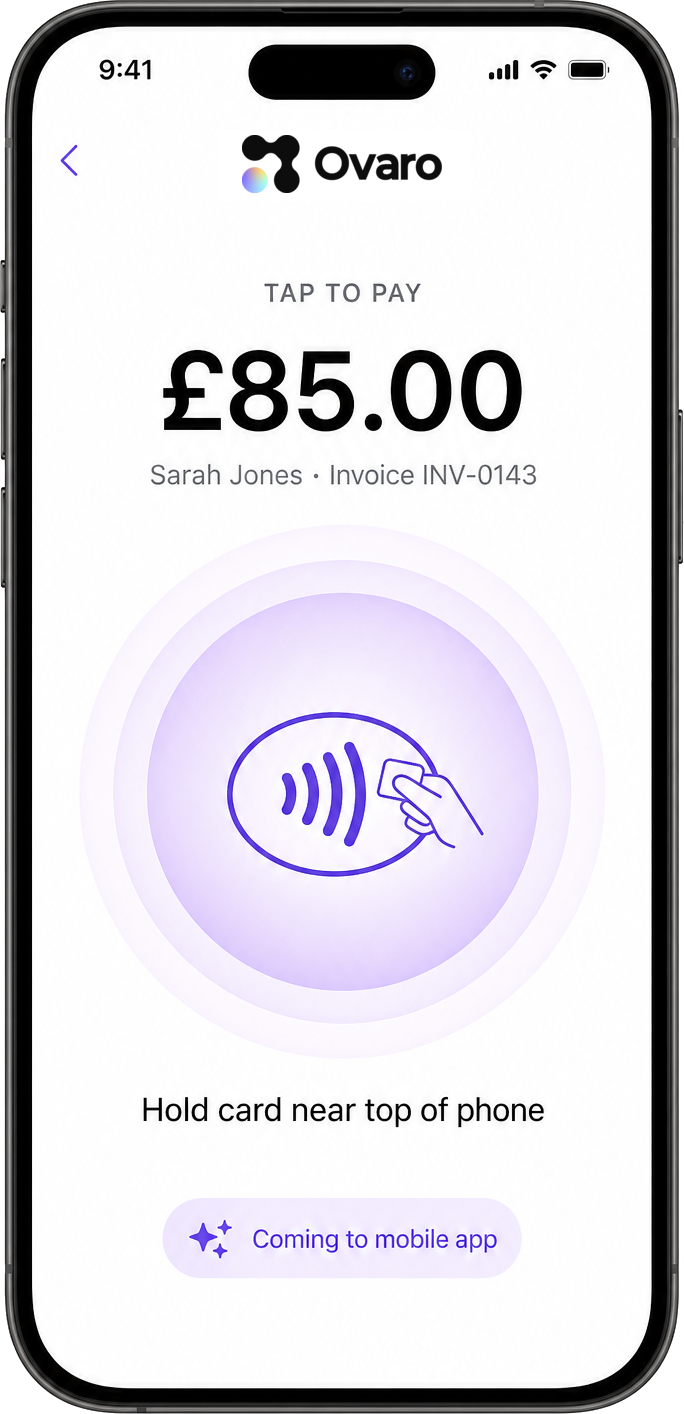
Every Ovaro invoice ships with a secure payment link powered by Stripe, so customers can pay in seconds from any device. Tap to Pay on iPhone is coming to the Ovaro mobile app for in-person card payments.
- One-tap payment links on every invoice (web)
- Apple Pay and Google Pay built in
- Tap to Pay coming to the Ovaro mobile app
Receipts & expenses
Snap a receipt. We do the rest.
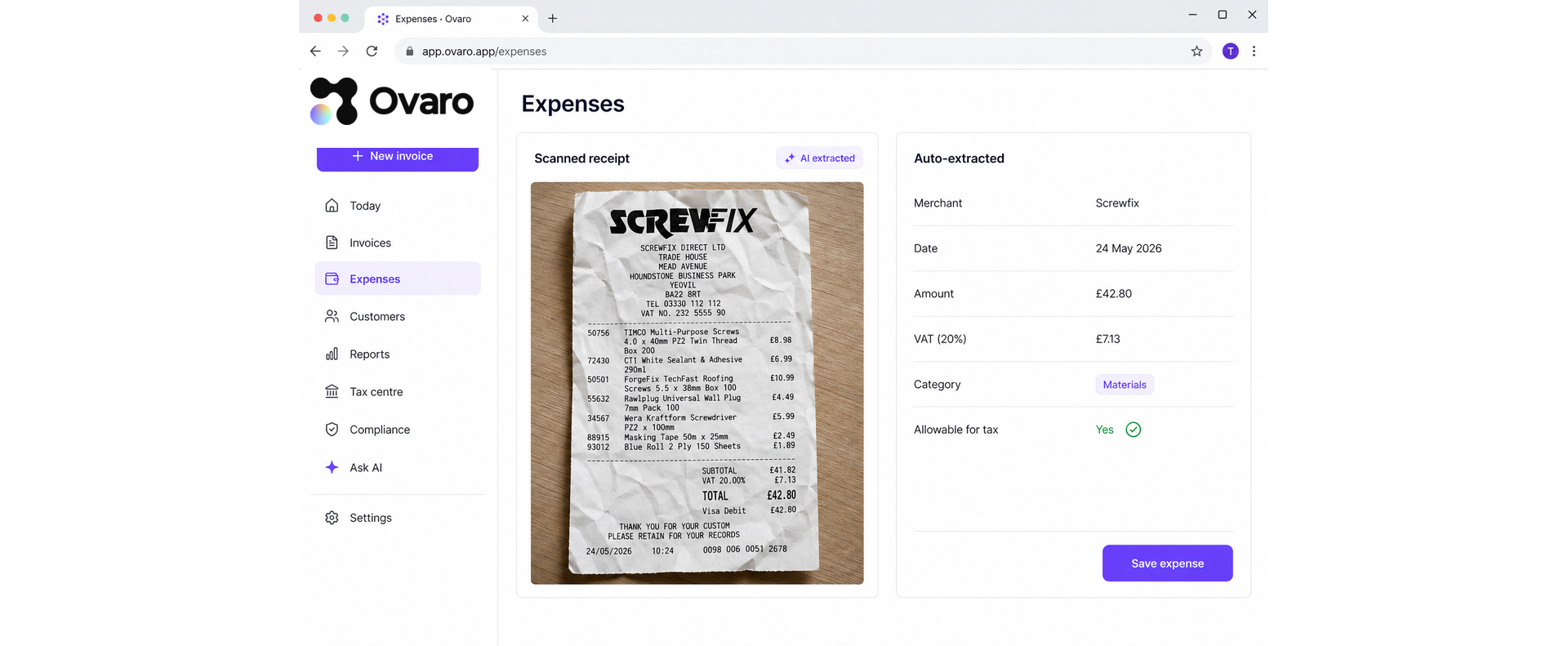
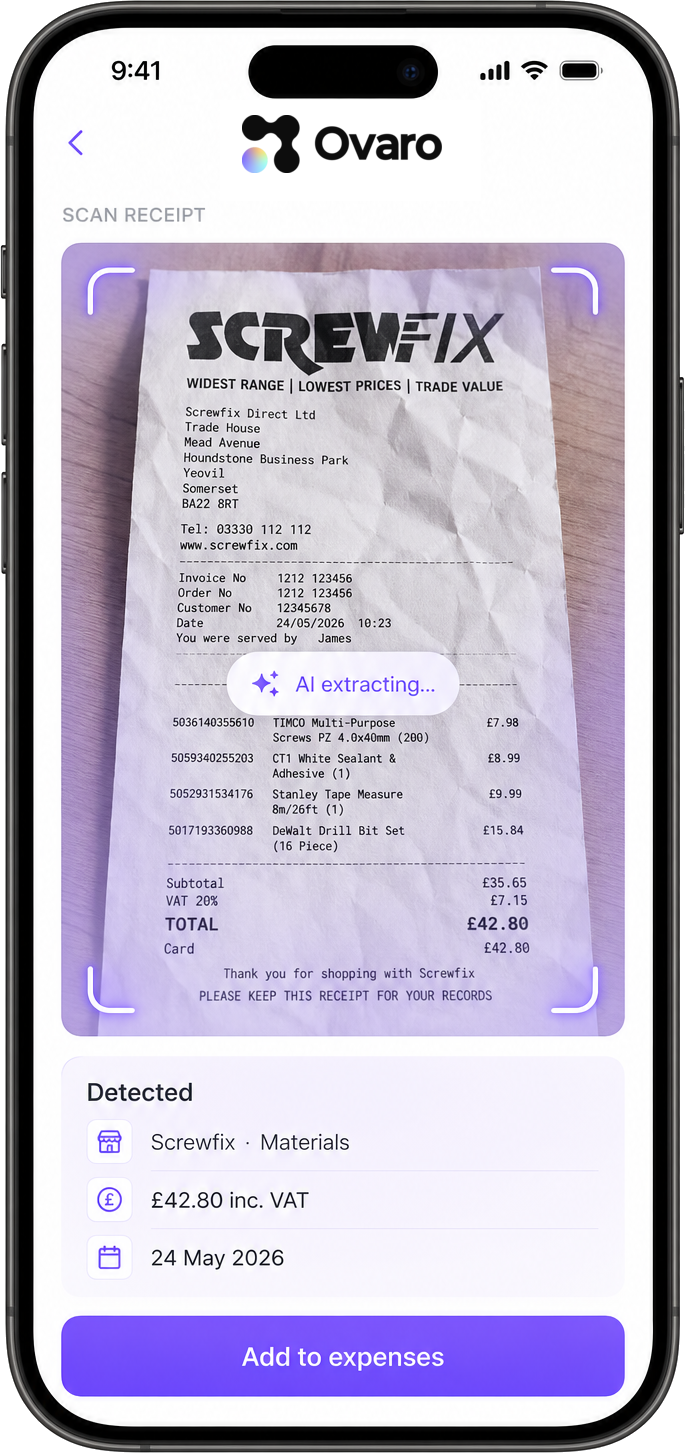
Photograph a receipt and Ovaro's AI extracts the merchant, amount, VAT and category in seconds — ready to file as an allowable expense at tax time. No more shoeboxes, no more spreadsheets.
- AI captures merchant, amount, date, VAT and category
- Auto-flagged as allowable for Self Assessment
- Original photo kept on file for HMRC peace of mind
Mileage & GPS
Drive it. Claim it. Done.
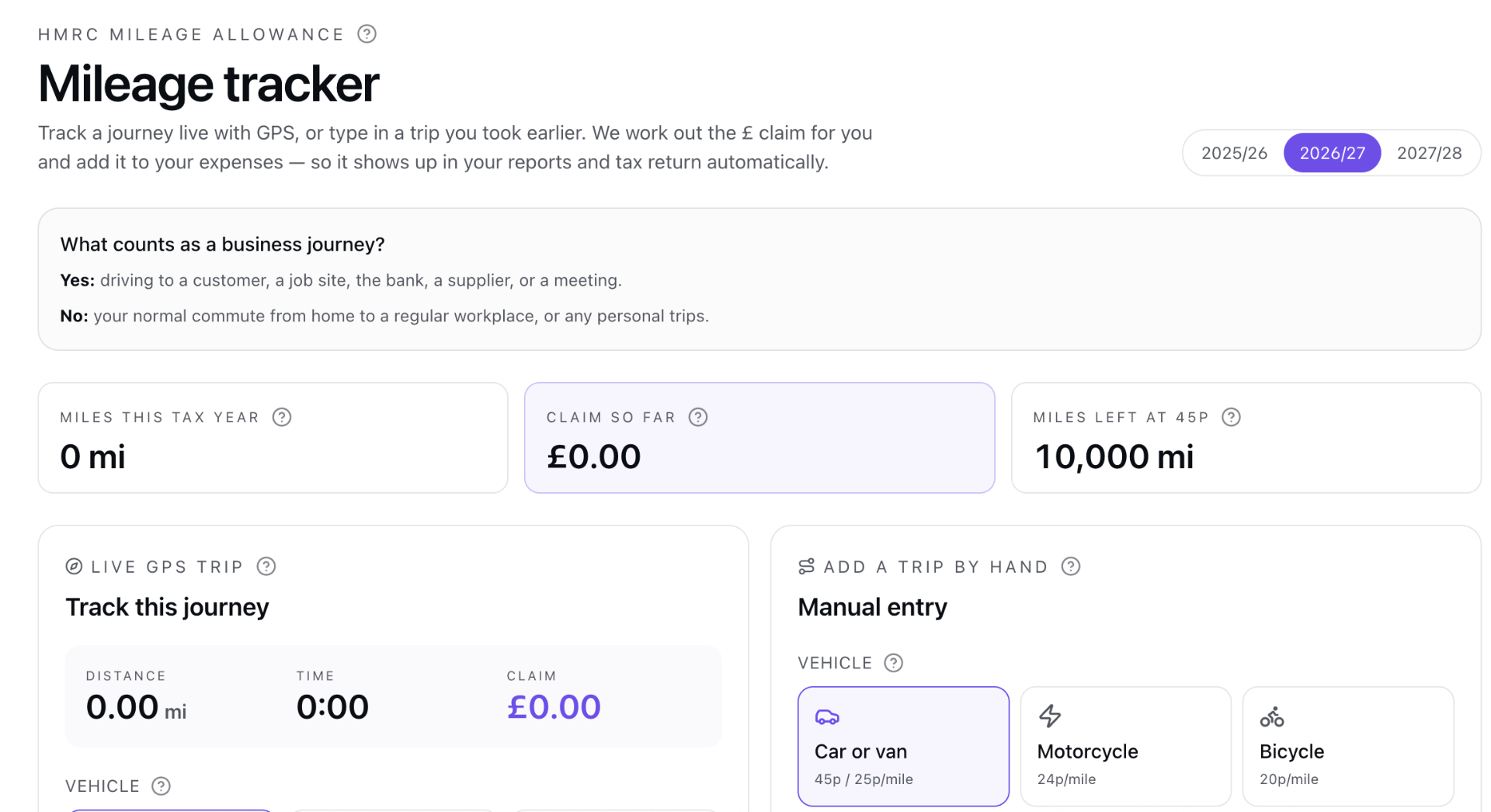
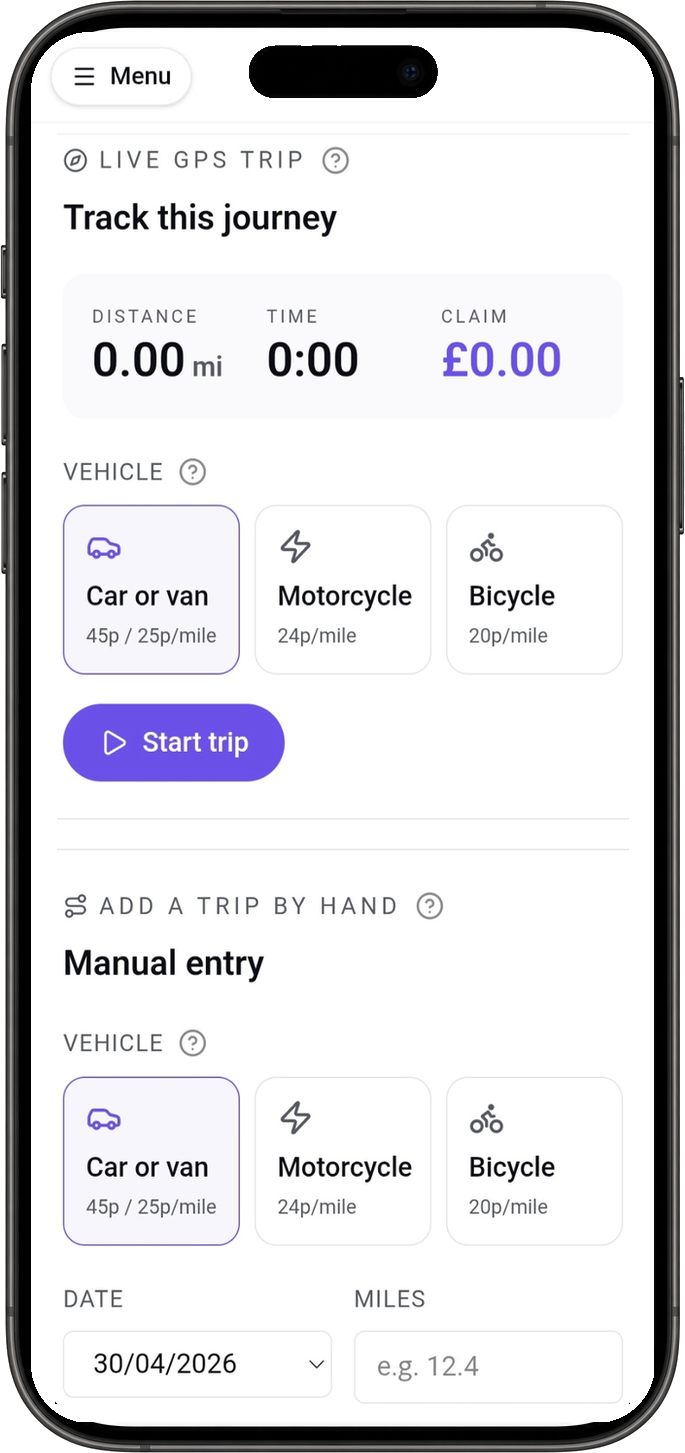
Tap start before you set off and Ovaro tracks the journey by GPS — or type in a trip you took earlier. We work out your claim at the official HMRC rate and drop it straight into your expenses, ready for your tax return.
- Live GPS tracking — start before you drive, stop when you arrive
- HMRC rates built in: 45p / 25p for cars and vans, 24p motorcycle, 20p bike
- Every trip lands in your expenses and Self Assessment automatically
Tax centre & MTD
Self Assessment, sorted year-round.
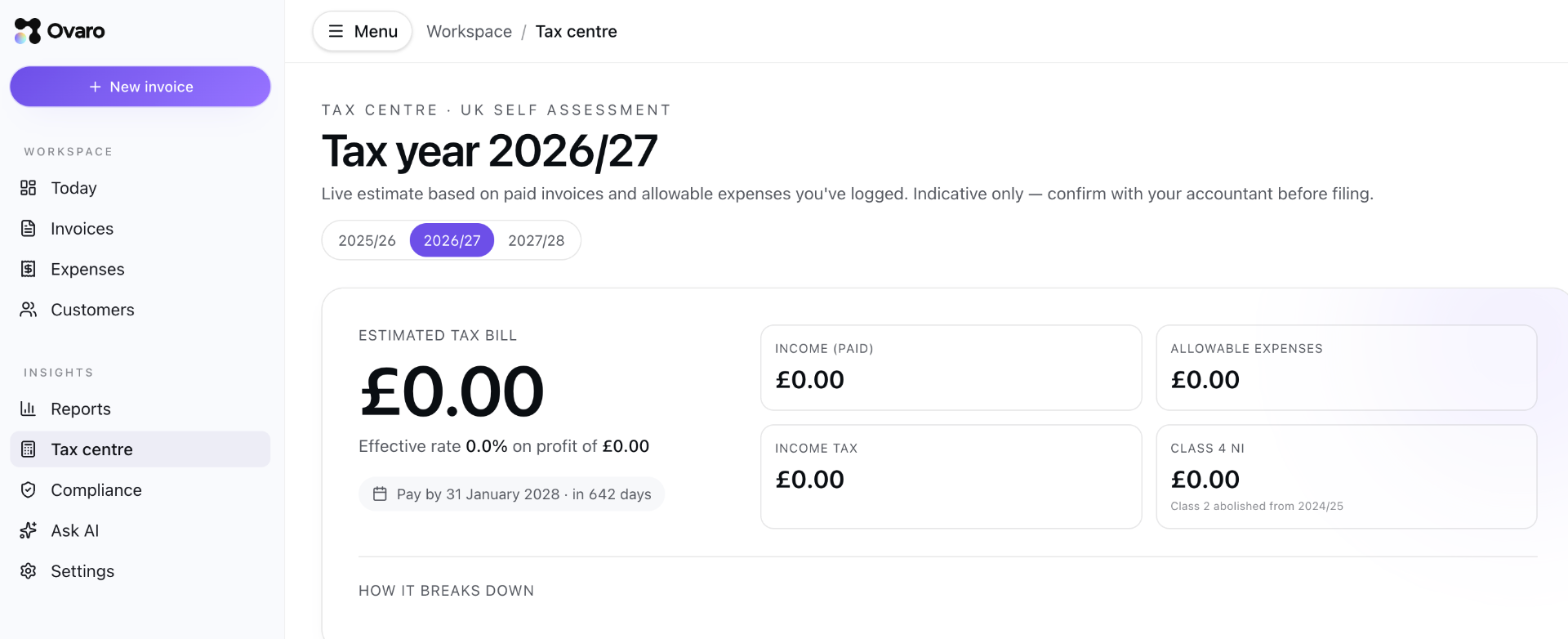
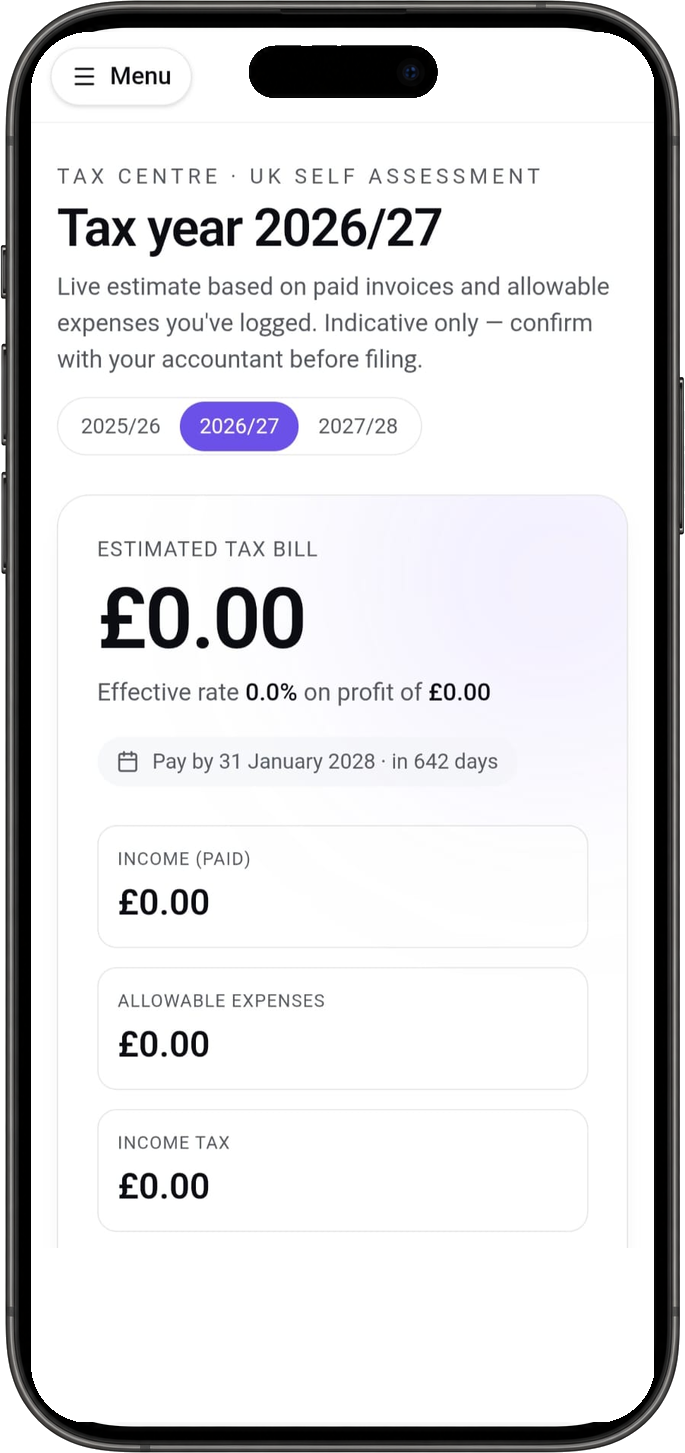
Ovaro keeps a running estimate of your tax bill as you invoice and log expenses — so there are no January surprises. When Making Tax Digital lands, you'll already be ready.
- Live estimate of your Self Assessment bill, updated daily
- Quarterly summaries built and ready for MTD submission
- Class 2 & 4 NI calculated automatically alongside income tax
Pricing
Two plans. No surprises.
Try Ovaro free for 14 days. No card needed up front. Cancel any time from your settings — you keep your records either way.
Basic
£3.99per month
For sole traders just getting started or only sending the odd invoice.
- Up to 3 invoices, estimates or receipts each month
- Get paid by card with a payment link
- Voice and text Smart Create
- Mileage tracker with HMRC rates
- Receipt scanning (basic monthly limit)
- Simple income and expense reports
Premium
£6.99per month
For self-employed people running a real workload — built around Making Tax Digital.
- Unlimited invoices, estimates and receipts
- Unlimited receipt scanning
- MTD-ready quarterly returns (ITSA + VAT)
- HMRC expense categories with plain-English help
- CSV export for your accountant
- Priority email support
Prices in GBP, VAT included. You can switch between plans whenever you like.
FAQ
Honest answers, not waffle.
If you can't see your question here, drop us a line at hello@ovaro.app and a real person will reply.
I'm not great with tech or accounting — is Ovaro really built for me?+
Yes. Ovaro is written in plain English, with little help tips next to anything that sounds like accountant-speak. You type or say what happened ("invoice Dave £400 for fitting a sink") and we do the formatting, the maths and the VAT. If you can send a text, you can run your books.
How do I send an invoice or a receipt?+
Open the app, tap Smart Create and either talk or type. Ovaro builds the invoice for you, you check it, then send it by email or share a link. The customer can pay by card straight from the link.
How do I get paid?+
Every invoice gets a Pay button. Your customer taps it, pays by card or Apple/Google Pay, and the money lands in your bank account. You'll see the invoice marked Paid automatically — no chasing, no manual ticking off.
Will this keep me right with HMRC and Making Tax Digital?+
That's the whole point. Ovaro keeps a digital record of every sale, expense and mile, sorted into the official HMRC categories. When the quarterly deadline comes, your figures are ready — for both Income Tax (ITSA) and VAT.
Can I track my expenses and mileage too?+
Yes. Snap a receipt and Ovaro fills in the shop, date and amount for you. The mileage tracker uses GPS while you drive, then turns the trip into a claim at the current HMRC rate (45p / 25p for cars and vans).
Is my data safe?+
Your records are stored on encrypted servers in the UK/EU. Only you can see them — not other users, not random staff. You can export everything to CSV any time, or delete your account and take your data with you.
Can I cancel whenever I want?+
Yes — month to month, no contract. Cancel from your settings and you won't be charged again. Your records stay available so you can export them.